Step 1: Log into your Betway account
Step 2: From the homepage, click or tap on My Account
Step 3: Visit the Withdrawal page
Step 4: Choose Nedbank Send-iMali from the list of options
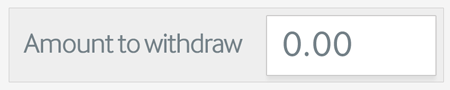
Step 5: Enter the amount you’d like to withdraw and select Withdraw Now
Step 6: Click on Confirm Withdrawal on the confirmation page
Step 7: Once the payment has been processed, you will receive an SMS from Nedbank with an OTP PIN
Step 8: Visit your nearest
Nedbank ATM and select
Cardless transactions

Select
Send-iMali withdrawal

Enter the following details:
- Your cellphone number
- The OTP sent to you
- The amount sent to you
Click on
Proceed, confirm your details. 
Your withdrawal will be processed and your cash will be dispensed
Please note that a Nedbank Send-iMali is only valid for 48 hours from when Nedbank has sent you an SMS. If you did not receive an SMS or would like to request a new one, please dial *120*001#. >>> To withdraw now,
Click here